
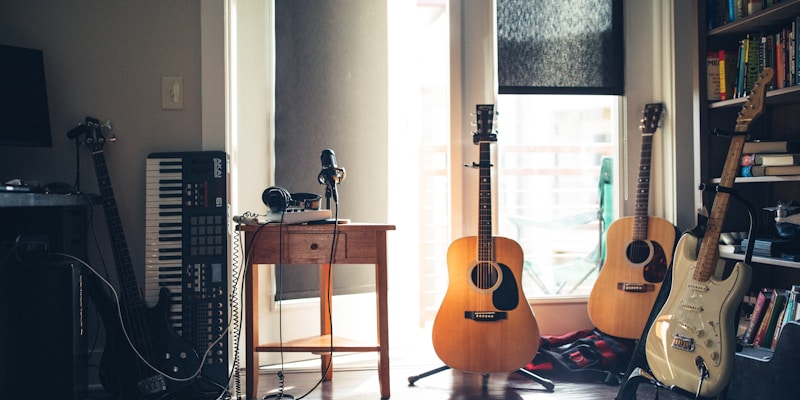
Media tools went local for less romantic reasons than text tools did. A document is a few kilobytes and nobody worries much about sending it. Raw audio and video are large, slow to upload, and often contain things people would rather not hand to a third party. That combination pushed a whole category of voice, music and video tooling onto the desktop, where the files already are.
Here are eight that are live today, spanning dictation, music production, dubbing, video editing and photo editing.
Dictation without a round trip
The clearest case for on-device speech is dictation. You speak, the text appears, and there is no reason any of it should leave your computer. Sayso does exactly that on macOS, Windows and Linux: press a key, speak, and the text lands in the application you are using. Recognition runs on the Neural Engine on a Mac and on the processor elsewhere, and nothing leaves the machine unless you deliberately choose a cloud model. It is free and GPL-3.0.
BetterWispr is the macOS-only counterpart with more attention to output quality. Hold Option and Space and it removes the ums and false starts, spells names the way you configured, and writes in a style you set per application. Nine built-in models from Apple, Parakeet and Whisper run locally, or you can supply your own API key. Speech stays on the Mac and no account is required.
Voice control that goes past dictation
Atticus is a voice assistant for macOS rather than a dictation tool. Hold Control, Option and Space and it moves windows, finds files and reads the screen, sending background agents for larger jobs and learning shortcuts you repeat so that simple asks skip the model entirely.
The notable detail is the billing model: it runs on the Claude Pro or Max plan you already pay for, so there is no separate API key to provision. It does require that paid subscription, and it is macOS only.
Listening to documents instead of reading them
PDF to MP3 AI Connect converts documents into audio you control sentence by sentence. You decide when to replay a sentence or move to the next one, you can ask the AI about a sentence, request a simpler explanation, or ask for a translation into your own language, and you can download the result as MP3 chapters. Its launch describes connecting your own OpenAI subscription to generate the audio.
The sentence-level control is the part that distinguishes it from a straight text-to-speech dump: when attention drifts you replay one sentence rather than scrubbing through a timeline.
A DAW an agent can drive
Blokkily is an experimental pattern-first digital audio workstation. The same pattern can be edited in a tracker, a piano roll or a step grid, then arranged across multiple tracks, with CLAP and VST3 plugin support, SoundFont instruments and built-in samplers.
The reason it belongs in a list about AI is MCP: an agent can drive a session, which is a genuinely different way to use a DAW than clicking. It is explicitly experimental and expects desktop audio knowledge, but the three synchronized editors for one pattern are a good idea independent of the agent integration.
Dubbing in each actor's own voice
Dub Anything dubs films and shows into another language in each actor's own voice, keeping the original music and sound effects intact. An AI coding agent directs the dub line by line the way a dubbing director would, and all audio generation runs on your own PC.
The output is the same file back with a new name: the dub plays by default, the original audio sits one track away, and subtitles in both languages are included. Local generation means a capable GPU helps a great deal with long-form video.
Video editing built for AI on the Mac
Palmier Pro is a video editor for macOS 26 on Apple Silicon, built around AI features and MCP connectivity. It is one of the largest video projects on GitHub by stars, and it is worth knowing the licensing history before you adopt it: releases through v0.7.6 were published under GPLv3 with source available, while later binary releases are proprietary and their source is not published.
If you need the open builds specifically, the historical GPLv3 source is still available in the repository.
Photo editing without the subscription
Rembrandt is a free photo editor for macOS, Windows and Linux with RAW support, masks and on-device AI. There is no account, no subscription and no tracking, and it can be self-hosted. As a Lightroom replacement it will not match a mature commercial editor feature for feature, but the combination of cross-platform builds, RAW handling and local AI covers what most people actually do.
How to choose
For dictation, Sayso is the choice if you need Windows or Linux, and BetterWispr if you are on a Mac and care about how the text is cleaned up. If you want to control the computer rather than type into it, Atticus is the one to try. For production work, Blokkily is the only one here that lets an agent drive the session, while Dub Anything is the pick when the source material is finished video and the goal is another language. And for editing, Palmier Pro and Rembrandt are both desktop applications that assume your files are already on the disk in front of you, which is the whole point.


